
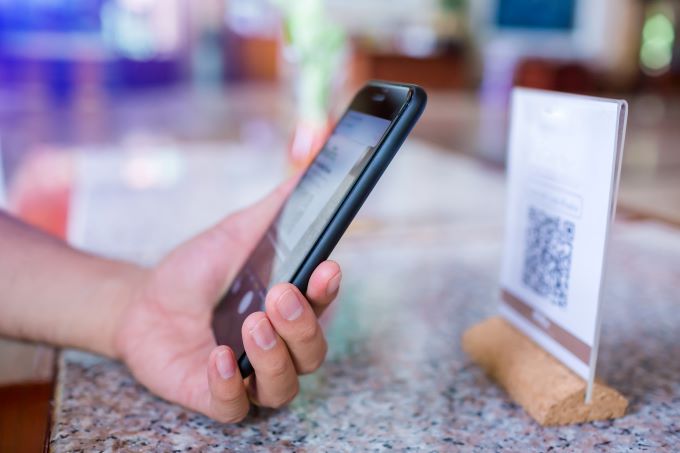
The guest-facing QR and NFC audit hotels usually skip
A short, repeatable audit across every guest-facing QR code and NFC tag can ensure these stay relevant and operational

By Jamie Carmichael
Hotels, motels and holiday parks increasingly use QR codes and near-field communication (NFC) touchpoints to connect guests with menus, property information, Wi-Fi instructions, service requests, local recommendations and post-stay feedback. These small signs and cards can be useful, but they are also easy to forget once they have been installed.
The physical item may stay at reception, in a room or beside a point-of-sale terminal for years. The digital destination behind it can change much sooner. A staff member leaves, an agency account closes, a short-link subscription expires, a property changes its website, or a platform updates a listing. The sign still looks current, yet the guest reaches an error page, the wrong property or a destination that works only when someone is already signed in.
The latest print edition of AccomNews is out now. Read it HERE
For operators, the solution is not a large technology project. It is a short, repeatable audit that treats every guest-facing QR code and NFC tag as a managed operational asset.
Start with an asset register
Create a simple list of every physical touchpoint. A spreadsheet is enough. Record where the item is located, what action it asks the guest to take, the current destination URL, who controls that destination and when it was last tested.
Location detail matters. “Guestroom” is too broad if a property has several accommodation wings, room types or venues. Use descriptions such as “Building B lift lobby”, “Room compendium – premium rooms” or “Pool bar counter”. The aim is to help another staff member find and test the item without relying on the person who installed it.
The register should also identify the account owner. A link managed through an employee’s personal login or an agency-only account creates a continuity risk. Wherever possible, the destination and any redirect service should sit under credentials controlled by the business, with recovery details stored securely and access available to more than one authorised person.
Test the journey as a guest
A successful scan in the office does not prove that the guest journey works. Staff devices may already be signed in, connected to a management account or carrying cached data. Test while logged out, using both an iPhone and an Android device where possible.
For NFC, confirm that a normal tap from the likely guest position triggers the intended action. For QR codes, check that the code can be scanned in the available light and from a realistic distance. Then follow the entire journey: allow redirects to finish, confirm that the correct property or venue appears, and make sure the final page is usable on a small screen.
Related AccomNews story: Why hotelier can’t ignore Bing Places for Hotels
Check mobile loading speed and look for unexpected barriers such as app-install prompts, region restrictions, expired certificates, consent screens or login requirements. If the destination is a form, menu or information page, complete the first few steps. A page that opens but cannot be used is still a failed touchpoint.
Provide a visible fallback
Not every guest will tap an NFC tag or scan a QR code successfully. Phone settings, camera focus, case thickness, damaged print, poor placement and accessibility needs can all affect the experience. A visible fallback reduces frustration.
Where the design permits, pair the NFC action with a QR code and a short written instruction. For essential information, also provide a human option, such as contacting reception or requesting a printed copy. Digital convenience should add choice rather than remove it.
Placement should be tested as carefully as the link. Avoid reflective surfaces, tight corners, low-light positions and areas where a guest may feel rushed. If an action matters at checkout, place it where a guest can pause without blocking the counter. If it supports an in-room service, make sure the instruction can be read without moving furniture or handling an unhygienic shared item.
Keep requests neutral and voluntary
When a touchpoint invites feedback or a public review, the wording should be neutral. Ask guests to share their experience rather than asking only happy guests to respond or suggesting a particular rating. Do not offer incentives that depend on a positive result, and do not route people differently based on how satisfied they say they are.
A consistent, voluntary request is easier for staff to use and safer for the business to govern. It also gives management a more credible view of the guest experience. Staff should understand that the technology provides access to a destination; it does not guarantee a response, a rating or a business outcome.

Retest after every operational change
Add link testing to the same change-control habits used for room information, emergency notices and service procedures. Retest whenever the property changes website providers, booking systems, agencies, domains, venue names, social or review profiles, or staff who control the accounts.
Physical changes matter too. A renovation, counter move or room refresh can leave signs hidden, damaged or attached to the wrong location. Include QR and NFC touchpoints in reopening checks and room-inspection templates so they are not treated as invisible technology.
Related AccomNews story: Your hotel tech-stack is only as strong as the intergrations between it
Run a monthly 15-minute check
A practical routine can be completed quickly: select a sample of high-use touchpoints, test each one on two device types while logged out, confirm the destination and update the register with the date and result. Rotate the sample each month and test every item after a major change.
Track reliability rather than vanity metrics. Useful measures include the number of broken or incorrect destinations found, time taken to fix them, repeat faults and guest support contacts linked to unclear instructions. These measures show whether the system is being maintained, even when the business cannot directly observe every tap or scan.
The value of a guest-facing digital touchpoint depends on what happens after the first interaction. By assigning ownership, documenting locations and testing the complete journey regularly, accommodation operators can keep small physical prompts accurate, accessible and useful long after installation day.